

StreamLabs
StreamLabs Control Automatic Water Shutoff Valve
StreamLabs Control Automatic Water Shutoff Valve
Couldn't load pickup availability
Product Details
Product Details
Select your pipe size and connection type, then review the installation and app requirements for that configuration. StreamLabs Control combines water monitoring with automatic shutoff functionality.
Select your connection
Choose the FNPT threaded or available SharkBite connection that matches the installation plan. Have your installer confirm pipe size, material, available space and the fittings required for your selected model.
App and plan options
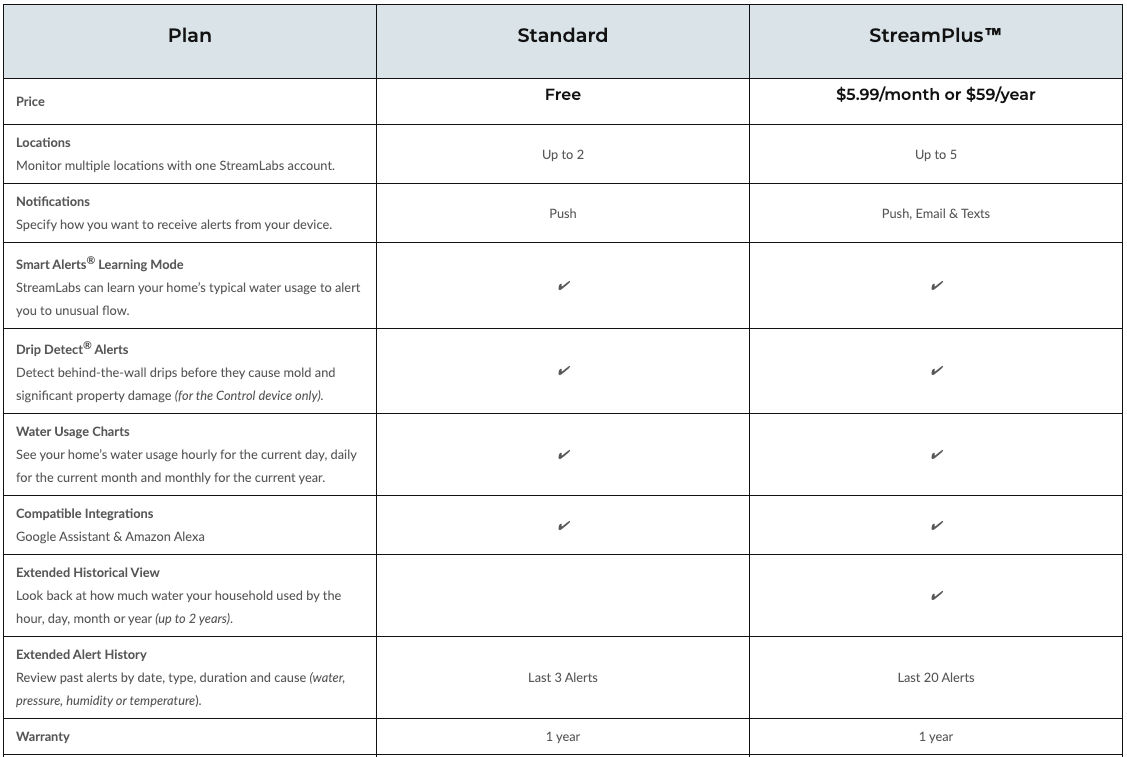
StreamLabs offers a free Standard app plan and an optional paid StreamPlus plan. Review the current plan comparison if you need features such as email/SMS alerts or additional locations.
Installation and setup
Follow the current instructions for your selected configuration. Confirm power and network requirements before installation, and complete setup and testing before relying on automatic shutoff.
Need help choosing?
Send us the pipe size, pipe material and a photo of the planned installation area. We can help you identify the relevant product information before you order.
Works with Alarm.com
If the home already has Alarm.com monitoring, Control can appear in the same Customer app as the security system. This is a cloud integration, not a Z-Wave pairing to the panel.
The valve still detects leaks and can auto-shut off on its own (including if Wi-Fi drops, as long as Auto-Shut is enabled). Alarm.com is the extra remote view/control layer after the accounts are linked.
How the homeowner links it
- Finish StreamLabs Control setup first (2.4 GHz Wi-Fi + StreamLabs app login).
- Open the Alarm.com Customer app.
- Tap the menu → Add Device.
- Tap Water Valves and Meters.
- Tap StreamLabs Water — Whole-home leak detection.
- Tap Next, enter the StreamLabs login, accept the terms, and wait for discovery.
Dealer / installer notes
- The Alarm.com account needs water devices available. If “Water Valves and Meters” is missing, the monitoring company must enable the water feature on that account.
- Use the homeowner’s StreamLabs login in the Alarm.com Customer app — not a dealer-only portal step.
- Do not try to include Control as a Z-Wave node on a Qolsys, 2GIG, or Alarm.com hub. That is a different product (Alarm.com’s own Z-Wave water valve).
- Keep both the StreamLabs Wi-Fi connection and the Alarm.com service active if you want Control to stay visible in Alarm.com.
App subscriptions compared
- StreamLabs Control: Free Standard plan; optional StreamPlus for additional features.
- Moen Flo: Core app use does not require a subscription.
- Phyn Plus: No subscription fee for access to water-use data.
Review current manufacturer plan details: StreamLabs, Moen, and Phyn.
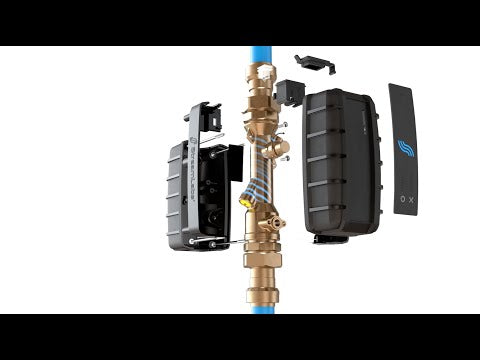
Product video